Category Archives: Photography

No looking back

An interesting exchange with a reader.

A friend of the blog left an interesting Comment/question the other day which I was pleased to debate. Absent a digital point-and-shoot, Michel is still largely a film user of all formats from 35mm to 4″ x 5″, with Leica M6 and R hardware as well as a Hasselblad 501. He’s thinking about a G series Panny for the same reason I took the leap – small, decent sensor, good lenses. Our exchange is repeated below, with Michel’s permission.
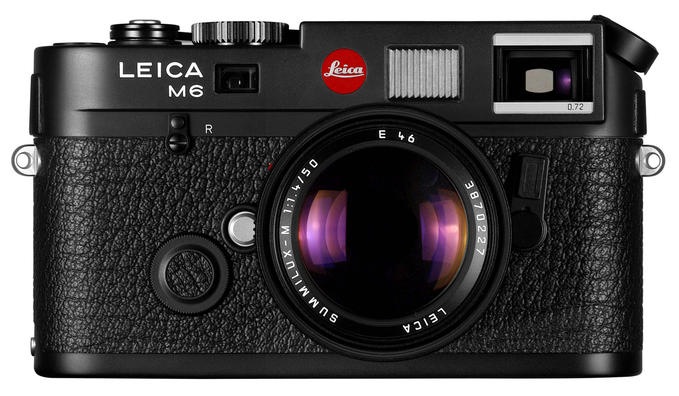
The M6 – an exemplar of the last generation of film cameras.
Michel – interesting question.

Full frame cameras:

First I cannot go back to a heavy full frame camera owing to wrist and back pain. Second, I cannot adopt an M9 owing to absence of autofocus and silly pricing. Lenses have a decent life expectancy, sensors do not, so $7k for an already obsolete sensor fails my basic test of economics and useful life. Case in point, I took a beating on the sale of the 5D whereas all my Canon lenses sold at 80-90% of my cost of 5 years ago.

Until/if FF cameras get much lighter, I have no interest in one. Equally, had you told me five years ago that I would be selling the 5D for an MFT sensor (which did not exist at the time) I would have laughed. So ‘never-say-never’. The design genius residing in Japan is quite capable of crafting a Full Frame body which takes a series of compact, high spec lenses and has a superb EVF which is, even in the G1, superior to anything on any Leica RF in poor light. However, if the Japanese continue to perceive there is too small a market for those, we will never see one. Great design and consumer demand/profits are not the same thing.

Small sensors:

I expect small sensor cameras to only improve over the next few years. Case in point, tests (not mine, as I have yet to try it) suggest that the second ever sensor made for MFT cameras (all Panasonic and Olympus models have used the same sensor until now), the one found in the costly Panasonic GH2, is noticeably better than the original model in the G1, EP-1, etc. I wrote off the MFT format when it was introduced and I was dead wrong. (Well, I did call the iPad right, buying two on the first day!)

The most used camera:

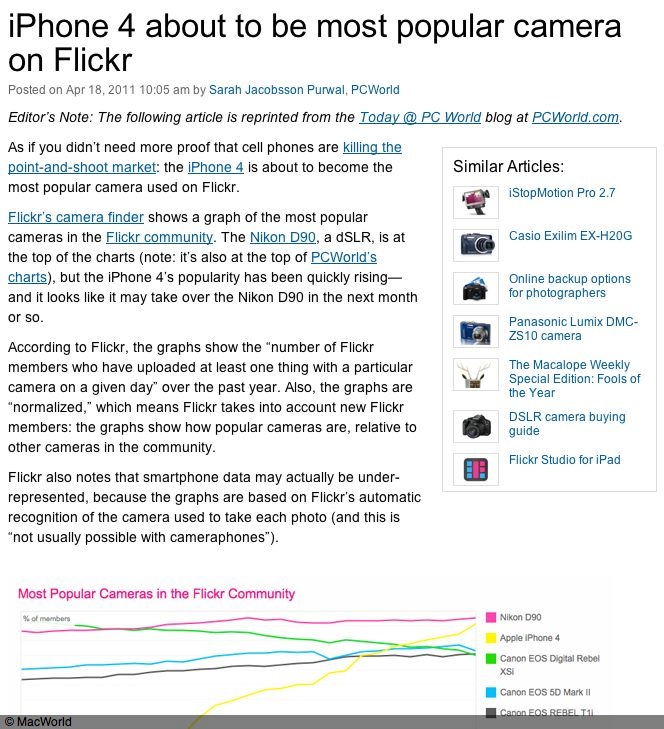
I just read today in MacWorld that the most used camera on Flickr is about to be …. the iPhone4. So I am not alone in wanting small, light and take-it-with-you-without-excuses gear. Interestingly the big body DSLRs seem to be peaking, looking at the chart below.
Cameras and trucks and prints:

A while back Steve Jobs said that the desktop PC (and, by inference, the traditional laptop) will become the ‘truck’ of the computing world. It will be a limited use, special tool for the few power users who need it. I believe the full frame and medium format digital cameras of today are already heading in the same direction. Those who need big enlargements will continue to justify putting up with the bulk, weight, noise and cost of the gear. But given that even the cheapest point-and-shoot more than adequately fills a 50″ LCD screen at home and with a little care will yield 13″ x 19″ enlargement (the maximum the ‘prosumer’ printer can do) and that paying just a little more gets you an excellent APS-C Nikon/Canon or MFT Panny/Oly which can scale to 18″ x 24″ paper prints without too much difficulty, who needs more? How many prints larger than that does the average consumer have at home on the wall? I would bet none. There’s is a growing case to be made for the argument that the traditional photo print is, in fact, dead.

One size fits all:

You make the valid point that Ansel Adams might not be the right candidate for a small sensor digital. Agreed. His descendants will happily continue using trucks. And you don’t need me to tell you that ‘One size fits all’ seldom works. Choose the right tool. However, given my avocation for street snaps and the occasional studio portrait, rather than the other way around, MFT works fine for me and I’m sure if I did the research there are some APS-C bodies every bit as capable. Pentax is a master at miniaturization and has produced some nice small APS-C bodies and lenses. Let’s hope that overpriced baubles like the Fuji X100 (yes, I am on the waiting list!) will spur the big boys into competitive action.

Weddings by Buissink

A true master of the genre.

While I have never wanted to make so much as one penny from taking pictures, I greatly respect those who do.

It’s a very tough way of making a living, made tougher in the digital age of “anyone can take a picture”, whereas in reality the percentage of camera owners who can do so has never been lower. Aunt Nellie with her POS point-and-shoot will make sure that the bride’s dress is eyeball searing white, not an iota of detail left in the trashed highlights and the groom’s tails will be every bit as lacking when it comes to detail in that expanse of black. Of course, there’s a good chance that everyone’s eyes will be closed and there will be a tree growing out of the bride’s head. There’s a reason Nellie’s pix are free and an equally good one why a real pro charges a great deal for his services.

Other than fashion photography where only a handful make a real living, surely one of the toughest fields has to be wedding photography. Except perhaps in Hollywood, there’s no repeat business for the most part. The stress is enormous. The photographer has to be a master orchestrator of diverse personalities on what is, for at least two of the participants, one of the most stressful days of their lives. The one trying to look her best and weak from all the fasting and exercise, the other trying to disregard the hangover. And the pictures must come out. Failure of equipment or technique is simply not an excuse. Further, everyone now expects to see the proofs at the reception after the wedding, so the photographer is running on fumes for the best part of a day. And did I mention the videos? Not my idea of fun, so when I see work of this nature done at an exceptional standard, my respect for the photographer is immense.

While it’s not a genre I’m especially into – it’s not like you search out wedding snaps to enjoy good photography – I know great work when I see it and none is better than that of Joe Buissink, a high-end wedding photographer in southern California. His work transcends the mere record which is most wedding photography and becomes art. The pictures are great despite the subject.

Here’s an example of the man’s art, taken from his web site. Cartier-Bresson would be proud of this one:

Click the picture for Joe Buissink’s superb web site.

No, you will not find ugly or fat (or ugly fat) people on his site, and for that we should all be truly grateful. His women are gorgeous, the way they should be on this most special of days in their life. His men are handsome. And the children properly dressed and simply divine.

The StackShot

Stepper for macros.

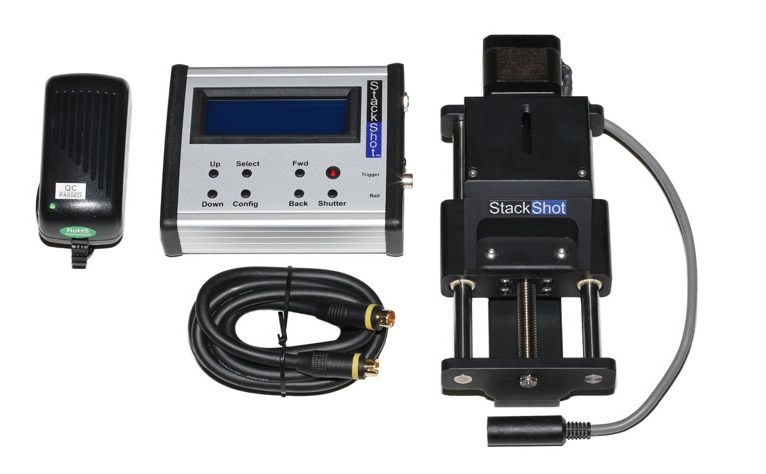
It’s a little strange to be writing a column about macro photography when I just sold my Canon 5D and 100mm Canon Macro to a good home. Still, I found myself sharing some details about Helicon Focus with the new owner and notice that Helicon’s web site now refers to a device named the StackShot. This is a focus rail with a built in stepper motor which allows movement of the camera toward the subject in predetermined steps, all set on a small LCD controller.

I have not used the StackShot so cannot comment but what little there is from users on the web it seems to be a solid device. The value of such a device is with very small subjects – bugs say – where the camera movement between snaps has to be extremely small, owing to the high magnification and small size of the subject. The StackShot’s inter-photo interval can also be varied to permit proper recycling of a flash tube if you use one. The resulting images are then stitched together using HF in the usual way – a process rendered trivially simple by this superb application.

You can see an excellent video of the device in action, made by the manufacturer, by clicking here.

The StackShot kit.

The maker says that steps can be as small as 0.01mm and while it’s not cheap at $475, it does look like just the thing for those special subjects. For another $50 there’s a version with a USB port allowing control from your laptop, but I cannot figure out from the operating manual on their web site whether the software runs on OS X on a Mac.

An excellent Photoshop CS5 book

Videos seal the deal.

I’m finding the help files in my recent upgrade to Photoshop CS5 frustrating to use. Often the chronology of steps to get to the point at which the Help file is invoked is missing, so you don’t know how to first get to where you are. So that got me searching for a better guide and, of course, there are so many books out there that it’s hard to know where to start.

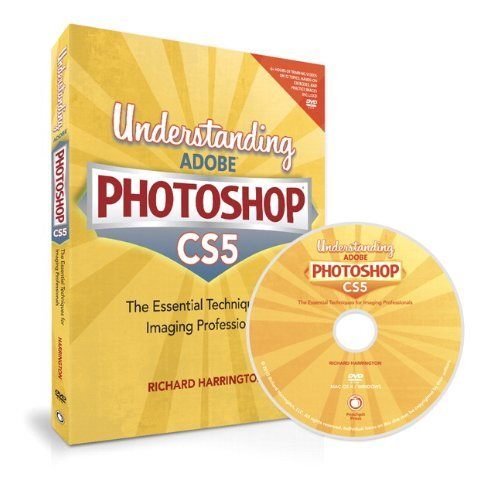
So I resorted to looking at on line video tutorials among the many Photoshop podcasts on AppleTV. That was an even worse experience. Many podcasts do not cover CS5 and of those that do you are often stuck with someone who thinks he’s funny and spends endless time sharing his sense of humor with you at the start of the video. Frustrating. Then I chanced upon a teacher named Richard Harrington and found his narrative professional, correctly paced and on point. So I bought his book for some $35.

Click to see the book at Amazon.

The book itself is slim as these things go, at 300 pages, but the included DVD contains no fewer than 72 videos illustrating key techniques. These could be higher definition but they are well done otherwise. Additionally, there are quizzes on each of the sixteen chapters, reflecting the serious, academically-oriented thrust of this production. Further, there are many TIF files to allow the in book examples to be replicated hands-on. This is an excellent method of learning the essentials of this massively complex application.

I’m adopting the Pareto Principle, reckoning that I can get 80% of the power of CS5 by learning 20% of its content. Right now I’m at something like 10/2!

Harrington’s book and tutorials are recommended if you value your time and prefer professional tuition; you can get a sense of his teaching style by looking up his video podcasts online using iTunes. The definition of these is the same as that of the ones on the DVD, which is to say not great, but you can make things out.

Not for what?

Not for profit, my rear.

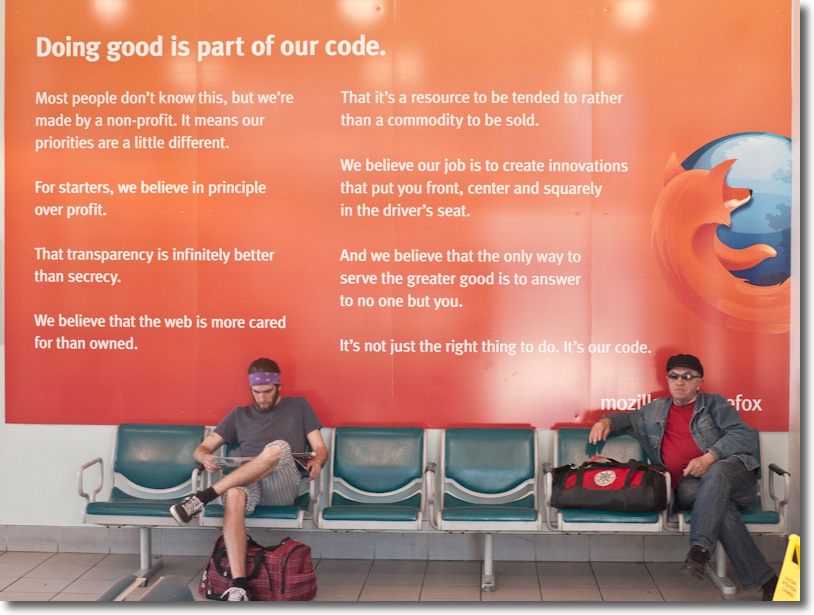
Get a load of this:

Mozilla at the Caltrain terminus in San Francisco – this tripe is everywhere in the station.
G1, kit lens @25mm, 1/25, f/5, ISO320.

Why, I am asking myself, does a web browser software maker obliterate nearly every square inch of the Caltrain terminus at Townsend and 4th in San Francisco – I mean walls, floors and hanging flags so that you can no longer see the station clock – with the most tasteless ads proclaiming its genius and decency, never missing an opportunity to scream at you in foul orange that they are a ‘not for profit’. This is just about as credible were the US Defense Department proclaiming it exists for the greater good of the future of mankind. (Hint: It exists because of oil).

The reality must be that Mozilla is onto such a good thing that it has decided to blow tons of its profits on costly advertising to grow its net income further because, hey, you and I are paying for it. Here’s how it works. The Mozilla Foundation owns the Firefox product and has the not-for-profit status. The Mozilla Corporation makes a lot of money on the back of this stance. I’m not privy to their financials but would not be surprised to find that there are hefty ‘administrative’ or ‘management’ fees or some such tripe being paid by the Foundation to the Corporation, making sure the Foundation makes no net income. Hey, it’s a not for profit suddenly, both as organized (under section 501(c)(3) of the Internal Revenue Code) and as reflected in its financial statements. Likely the Corporation then pays out all net income as compensation to its senior people, the CEO of which sits on both Boards …. so you get to say you are ‘not for profit’ while living like Riley. And pay zero corporation tax into the bargain. Meanwhile you can proclaim to the whole world that the code monkeys writing the software are paid peanuts, and that’s true.

More about their structure here. By making Google the default browser in Firefox, Google ponies up likely north of $100mm a year to Mozilla – details here. Why bother with this money shuffling when you could simply overpay your executives from one corporate entity? Because excess compensation in a not-for-profit attracts far greater scrutiny from the tax authorities than any corporation’s pay check does. Have you seen the pay of US banksters’ recently? Has the IRS required a return of any of that egregious pay? No. And because there are millions naïve enough to buy the ‘not-for-profit’ claim, they use Firefox for that reason – meaning they are unwittingly suckered into using Google for search – and allow Mozilla to get more money from Google for directing you to Google’s advertising.

Meanwhile, by all means use Firefox if it works for you (the latest Version 4 has almost caught up to Safari as regards speed, having been in the slow lane for ever, and its use of fonts still needs work). But don’t use it in the mistaken belief that related advertising dollars are making their way to feed the world’s poor.

Moral of the story? Wherever Google is involved, get your BS meter out. Google’s culture of theft is deeply ingrained and spreads its tentacles to those who do business with it, like Mozilla.

This nonsense is everywhere in the Caltrain station.
“We believe in principle over profit”. Excuse me while I vomit.

….you can’t even see the station clock.

So if you find one of your favorite train stations suddenly obliterated in puke orange, sanctimonious, self-serving advertising, smell the rat, and don’t buy the message. Your city and nation is being robbed of millions of tax dollars and you and I pay the shortfall. Welcome to the Hall of Shame, Mozilla.

And as the next picture shows, they make a Freudian slip and admit it!

Posters on the floor!